Image sizes
What to know about photos: which ones work best, the limits, and the reference pictures that come back with a result.
Photos you send
For accurate detection, we recommend photos of 1600 × 1200 pixels in JPEG/JPG.
Larger photos may still work, but take longer and use more data without being more accurate. Smaller photos may give less accurate results. PNG, HEIC, WebP and AVIF are supported too, but formats other than JPEG/JPG may take longer to process.
| Photo | Recommended | Supported |
|---|---|---|
| Dimensions | 1600 × 1200 pixels | 200 × 200 to 6000 × 6000 pixels |
| Format | JPEG/JPG | JPEG/JPG, PNG, HEIC, WebP, AVIF |
| Upload size | No recommendation | under 10 MB for the whole upload |
| Aspect ratio | No recommendation | all |
When a photo is rejected
| Problem | What happens |
|---|---|
| Larger than 6000 × 6000 pixels | Rejected: “The resolution of the image was too high” |
| Smaller than 200 × 200 pixels | Rejected: “The resolution of the image was too low” |
| Upload of 10 MB or more | Rejected |
| Any other file format | Rejected |
For developers: the exact error answers
Too large (over 6000 × 6000 pixels):
{
  "location": ["body", "image"],
  "message": "The resolution of the image was too high; permitted: min: 200x200px, max: 6000x6000px.",
  "type": "value_error"
}
Too small (under 200 × 200 pixels):
{
  "location": ["body", "image"],
  "message": "The resolution of the image was too low; permitted: min: 200x200px, max: 6000x6000px.",
  "type": "value_error"
}
Reference pictures in the results
When the API finds one or more problems, each result links to a reference picture of a similar case. You can use it to compare with your own photo.
The picture is available in six widths:
| Size | Width |
|---|---|
w1000 | 1000 pixels |
w800 | 800 pixels |
w600 | 600 pixels |
w400 | 400 pixels |
w200 | 200 pixels |
w100 | 100 pixels |
To pick a width, change that part of the link. For example, for 800 pixels: https://<base_url>/visualsearch/w800/<image>.jpg
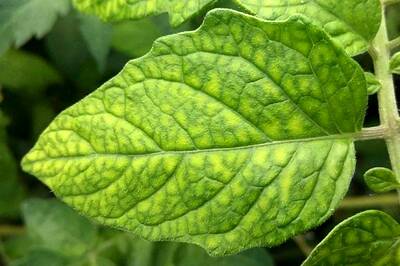
Example at w400: